Why Does googleadservices.com Keep Popping Up? (2026 Guide)
 Carlos GarciaPublished Updated
 You click a search result, and for a fraction of a second the address bar shows something you did not ask for: www.googleadservices.com. Then the page you actually wanted loads. It happens again the next day, and the day after, and eventually you start wondering whether something is wrong with your machine.
The short version is that nothing is wrong. googleadservices.com is a piece of Google's own advertising plumbing, and seeing it flash past is the normal, expected behaviour of clicking a paid search result. It is not malware, not a hijacker, and not a sign that your browser has been compromised.
That said, "it is normal" is an unsatisfying answer if the domain is showing up in places you did not expect — in your analytics reports, in a security scanner's warning list, or as a redirect you cannot seem to escape. Those cases have different explanations, and some of them do deserve attention.
It is a fair thing to be uneasy about, incidentally. Plenty of genuinely hostile software does exactly this — inserts itself between a click and a destination — so the instinct to check is sound even when the answer turns out to be dull.
This guide covers what the domain actually is, the three distinct situations in which people encounter it, how to reduce or stop the redirects, and how to tell the harmless version apart from the version that genuinely warrants a closer look.
Free audit
Where do you stand in AI search?
A manual SEO + AI search audit of your site: how ChatGPT, Gemini, Perplexity and Claude read and cite it today, and what to fix first. Report within 48 hours, no credit card.
Get my free auditOr have it all done: AI SEO services, $999 once
What Is googleadservices.com?
googleadservices.com is the domain Google uses to record a click on a Google Ads advertisement before sending the visitor to the advertiser's website. It is a click-tracking redirect, and it exists so that Google knows which ad was clicked, by whom, and what the advertiser should be charged.
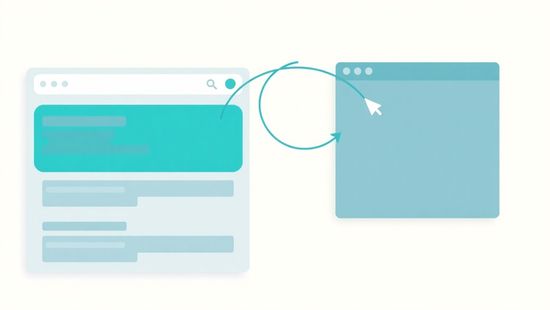
When you click a sponsored result at the top of a Google search page, your browser does not go straight to the advertiser. It goes to googleadservices.com first, which logs the click, attaches tracking parameters, and then immediately forwards you on. On a decent connection the whole round trip takes a few dozen milliseconds, which is why you see a flash rather than a page.
The parameters appended during the hop are what let an advertiser see, later that day, that a particular ad produced a particular visit. Without them the entire paid-search economy would be running blind, which is why the redirect is not optional from Google's side.
The domain is owned and operated by Google. It is not a third party, not an affiliate network, and not something that was installed on your device. Every Google Ads click on the open web passes through it or a close relative of it, which is why it turns up so persistently once you start noticing it.
The reason the hop is visible at all is that it happens in the main browser window rather than in the background. Google could in principle log the click invisibly, but a server-side redirect is more reliable across browsers, privacy settings and ad blockers, so the visible flash is the price of accuracy.
It is also worth noting that the domain has existed in roughly this form for well over a decade. If it were a threat, it would be the longest-running and least effective one on the internet.
You may also see googleads.g.doubleclick.net, googlesyndication.com, or adservice.google.com in the same context. These are siblings in the same advertising stack, handling ad serving and measurement rather than click redirection specifically.
Not sure how much of your traffic is actually paid versus organic? Get a free SEO Stuff audit and see where your visibility really comes from.
Why It Keeps Appearing
There are three genuinely different reasons the domain shows up, and conflating them is the source of most of the confusion online. Work out which one applies to you before doing anything about it.
You are clicking sponsored results
Ad load has also risen over the past few years on commercial queries. More sponsored slots at the top of the page means a higher chance that the result you reach for first is an ad.
This is by far the most common case. The first one to four results on a commercial Google search are usually ads, marked with a small "Sponsored" label that is easy to miss because it is visually quiet by design.
If you habitually click the first result without checking the label, you will pass through googleadservices.com several times a day. The frequency feels alarming, but it is just a reflection of how many of your searches have commercial intent.
There is also a feedback effect. Once you have noticed the domain, you start watching the address bar, and things you previously ignored become impossible to miss. The frequency has not changed; your attention has.
Searches for products, software, services, insurance, travel and anything else advertisers bid on will show ads. Searches for facts, definitions or news usually will not, which is why the domain appears in clusters rather than evenly.
It is showing up in your analytics
This is the version of the problem that actually costs money, and it is worth separating firmly from the browsing case. Nothing is wrong with the visitor's machine; something is wrong with the measurement setup.
Website owners encounter the domain differently: as a referral source in Google Analytics, or in server logs, where it looks like traffic is arriving from Google's ad infrastructure rather than from the ad itself.
This normally means auto-tagging is misconfigured or the tracking parameter has been stripped somewhere between the click and the landing page. The result is paid traffic being recorded as a referral instead of as paid search, which quietly distorts every channel report you run.
The practical consequence is that a campaign can look like it is underperforming when it is simply being mislabelled. Budget decisions made on that data are decisions made on a measurement artefact.
Checking is straightforward: compare the click count in your ads dashboard against the sessions attributed to paid search in analytics for the same window. A large, persistent gap points at a tagging problem rather than a traffic problem.
If you are trying to untangle where a visit really came from, it helps to understand how Google Analytics assigns sources in the first place — our guide to what "referral" means in Google Analytics 4 walks through the classification rules that produce this exact symptom.
A security tool has flagged it
Some antivirus suites, ad blockers and DNS filters list googleadservices.com as a tracker, because that is functionally what it is. Being flagged as a tracker is not the same as being flagged as malware, but the warning language often fails to make the distinction clear.
The practical test is what the warning actually says. Language about tracking, telemetry or privacy describes a category. Language about trojans, hijackers or infections describes a threat, and that wording is very rarely attached to this domain by a reputable scanner.
Blocking it is a legitimate privacy choice. It is not a remediation step for an infection, because there is no infection to remediate.
How to Stop It Appearing
If you would simply rather not route through Google's ad tracker, there are four practical approaches, in rough order of how much they change your browsing.
1. Click the organic results instead. The cheapest fix costs nothing but attention. Scroll past anything labelled "Sponsored" and click the first unlabelled result. No redirect, no tracker, and usually the same destination, since many advertisers also rank organically for their own brand.
Bear in mind that suppressing the ads also removes the ability to click them deliberately, which occasionally matters when an advertiser's landing page is the page you actually wanted.
2. Use a content blocker. Standard blocklists include googleadservices.com, so most reputable ad blockers will suppress the ads entirely and remove the opportunity to click them. This is the most complete fix for the browsing case.
3. Filter it at the DNS level. A DNS-based blocker applied at the router or device level stops the domain resolving at all, across every browser and app on the network. It is more thorough than a browser extension and harder to bypass accidentally.
4. Turn off ad personalisation. In your Google account's ad settings you can disable personalised advertising. This does not remove ads or stop the redirect, but it reduces how much of your activity feeds into ad targeting, which is often the underlying concern.
A note on order: try the first option before the others. A surprising number of people install three layers of blocking to solve a problem that disappears entirely once they start reading the Sponsored label.
Want to know which search terms are actually sending you buyers? Run a free SEO Stuff audit and get the keyword picture in minutes.
When You Should Actually Investigate
Most sightings are benign. A few are not, and the difference is usually obvious once you know what separates them.
The pattern to look for is consistency. A single odd redirect is usually a misconfigured ad or a mistyped URL. The same odd redirect happening repeatedly is a different matter.
Investigate if the redirect lands you somewhere unrelated to what you clicked. Legitimate ad clicks deliver you to the advertiser's own site, and the destination will make sense given the ad. Ending up on a page you did not expect — particularly one urging you to install software or ring a support number — is a real warning sign.
Investigate if the domain appears when you are not clicking anything. Ad tracking redirects are triggered by clicks. If new tabs are opening on their own, or pages are redirecting mid-read, that behaviour does not come from the ad stack.
Investigate if your homepage or default search engine has changed. That is classic browser-hijacker territory, and although the hijacker may route through advertising domains to monetise itself, the hijacker is the problem, not the domain.
Investigate if the behaviour is confined to one browser profile. Problems that follow a profile rather than a device almost always come from an extension installed in that profile, which is both the most common cause and the easiest to fix.
Investigate if it appears on a device with no browser open. Ad redirects only occur inside browsing sessions. Network-level traffic to advertising domains from an idle machine points at something running in the background.
In those cases the sensible steps are to review installed browser extensions, reset the browser to defaults, and run a scan with a reputable anti-malware tool. The domain in the address bar is a symptom, not the cause.
Limitations of Blocking It
Blocking googleadservices.com is easy, but it has trade-offs worth knowing about before you push a filter list out across a network.
This one catches marketers out routinely. They block trackers on their work machine for privacy, then spend an afternoon debugging a conversion tag that was working perfectly the whole time.
It can break advertiser conversion tracking. If you run Google Ads for your own business and block the domain on the machines you use for testing, your own visits will not register, which makes it hard to verify that a campaign is set up correctly.
It does not reduce the number of ads you see in most setups. Unless the blocker also suppresses ad rendering, the sponsored results still appear — clicking them simply fails or behaves unpredictably, which is more confusing than the redirect ever was.
It can affect sites that depend on ad revenue. Some publishers detect blockers and restrict access. That is a choice you are entitled to make, but the effect is broader than removing one tracking hop.
It may complicate troubleshooting later. Once a domain is blocked at the DNS level and forgotten about, unrelated symptoms months later can be hard to trace back to the filter that caused them. Keep a note of what you have blocked and where.
It will not stop tracking generally. Google measures behaviour through many channels, and one blocked click-tracking domain is a small part of a much larger picture. Treat it as a modest privacy improvement rather than a solution.
Curious how your competitors are splitting their paid and organic strategy? Get a free SEO Stuff audit and see the full breakdown.
How It Compares to Other Google Domains
It is easier to interpret what you are seeing when you can place the domain among its neighbours.
doubleclick.net is the ad-serving and measurement layer, inherited from Google's acquisition of DoubleClick. It decides which creative to display and records impressions, where googleadservices.com handles the click itself.
The distinction matters when you are diagnosing a site rather than a browser, because each domain implies a different integration and a different place to look.
googlesyndication.com delivers display ads onto publisher websites. If you see it, you are looking at a banner or in-feed ad rather than a paid search result.
googletagmanager.com is not advertising at all. It is the container that loads analytics and marketing tags on a site, and it appears on an enormous share of the web regardless of whether ads are involved.
google-analytics.com and analytics.google.com are measurement rather than advertising. Seeing them means a site is recording visits, which is near-universal and unrelated to whether you arrived via an ad.
google.com/aclk is an alternative click-redirect path that performs much the same role as googleadservices.com. Which one you get depends on the surface and the campaign type, and there is no meaningful difference from a user's point of view.
Knowing which of these you are looking at tells you immediately whether you clicked a search ad, loaded a display ad, or simply visited a site with tracking installed.
Final Thoughts
googleadservices.com keeps popping up because you keep clicking sponsored search results, and it is doing precisely the mundane job it was built for: counting a click and passing you along. That is the answer for the overwhelming majority of people who go looking for an explanation.
It is a reasonable thing to have been suspicious about. An unexplained domain appearing between you and the page you asked for is exactly the shape of a genuine problem, and checking rather than shrugging is the right instinct. It just happens that this particular one is benign.
The cases worth attention are the ones where the pattern breaks — redirects without clicks, destinations that do not match the ad, settings changing on their own. Those point at something on the device, and the advertising domain is just where the symptom happens to surface.
If you are on the other side of this, running ads or trying to reconcile where traffic comes from, the more useful question is not how to block the domain but how to make sure your measurement attributes each visit correctly in the first place. Getting that wrong makes paid campaigns look worse or better than they are, and the fix is usually a tagging detail rather than anything dramatic.
Ready to see how your site performs across search and AI answers? Start with a free SEO Stuff audit.
Want this done for you?
SEO Stuff gets businesses cited by ChatGPT, Gemini, Perplexity and Claude, and ranking in Google. Start with the free audit, a call, or the package.
See where you stand
A free, manual SEO + AI search audit of your site, with a report within 48 hours. No credit card, no sales call.
Get my free auditTalk it through
A free 15-minute call with the founder about whether AI search is a meaningful opportunity for your business.
Free strategy callHave it done
The Done-For-You Package: audit, 10 pages of content, 3 DR50+ placements, dashboard. $999 once, delivered in 21 business days.
See the package

