What Is Gemini Canvas?
 Carlos GarciaPublished
What Is Gemini Canvas?
Most AI chat is disposable. You ask, you get an answer, you copy the useful part somewhere else, and the conversation scrolls away. Canvas is Google's attempt to stop that happening to work you actually care about.
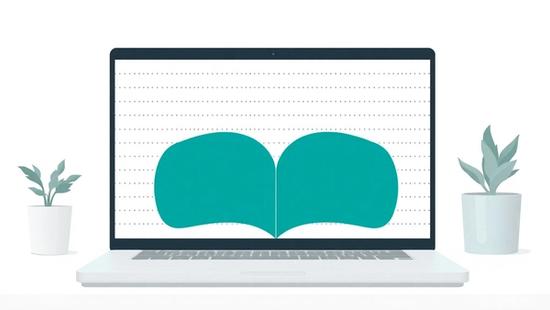
Canvas is a workspace that opens beside your Gemini conversation. What Gemini produces appears there as a document, a set of slides, a working app or a block of code, and you edit it in place instead of asking for another full rewrite in the chat.
This guide covers what Canvas makes, how you open it, how editing and exporting work, which plans and devices have it, and the limits Google states. Every factual claim here is taken from Google's own Gemini Apps Help pages and its Canvas product page rather than from third-party write-ups, and where Google does not say something, this guide says so instead of guessing.
What Is Gemini Canvas? The Short Answer
Canvas is an interactive editing surface inside the Gemini app. Google's help article describes it this way: "You can collaborate with Gemini in Canvas to create or edit a doc, app, slides, or code. You can also turn your creation into an Audio Overview, quiz, or other format."
Google's Canvas product page frames the same thing in plainer marketing language — "write, code, & create in one space with AI," and "Bring your ideas to life as apps, games, infographics and more."
The important structural point is that Canvas is a panel, not a separate product. Your conversation stays on one side and the artifact stays on the other, so you can ask for a change in chat and watch it land in the document rather than receiving a new copy of the whole thing.
It is also, as of November 2026, available to everyone. Google's page states: "Canvas is available for all Gemini users."
Publishing AI-assisted content and wondering whether search engines can see it properly? Get a free SEO audit from SEO Stuff and find out what's actually indexed.
Free audit
Where do you stand in AI search?
A manual SEO + AI search audit of your site: how ChatGPT, Gemini, Perplexity and Claude read and cite it today, and what to fix first. Report within 48 hours, no credit card.
Get my free auditOr have it all done: AI SEO services, $999 once
What Can You Actually Make in Canvas?
The output types are broader than the word "canvas" suggests, and they are the real reason to use it over plain chat.
Documents and slides
Text is the original use case. Canvas holds a document you can restructure, shorten, re-tone and format without leaving the Gemini app. Slides are a first-class output too — Google's Create menu lists a slide show as one of the things Canvas will build for you.
Apps, games and web pages
This is the part people underestimate. Google says Canvas will "generate the code that brings your idea to life as a working, shareable app or game." The Create menu includes a custom visual or app and a web page, and Google's product page also names interactive quizzes and dashboards.
What you get is not a description of an app. It is an app, running in a preview, that you can send to somebody with a link.
Audio Overviews, quizzes and infographics
Google lists three more conversions from whatever is already sitting in your Canvas: an Audio Overview, a quiz, and an infographic. These are format changes applied to work you have already done, which is a useful way to think about Canvas generally — it is a place where one piece of work takes several shapes.
Deep Research reports
There is one more route in that is easy to miss. Google's Canvas FAQ notes that if you select Deep Research below the prompt bar, the resulting report opens in a new Canvas. So the long research output is editable rather than a wall of chat text.
How Do You Open Canvas and Start Working?
The steps are short, and worth noting that Google's own two pages label the button slightly differently.
- Sign in. Google is explicit that "you must be signed in to Gemini Apps" to use Canvas.
- Open Canvas before or with your prompt. Google's help article says: "Below the text box at the bottom, click Add Files and then Canvas." Google's Canvas FAQ page gives a shorter version — "Below the prompt bar, select 'Canvas'."
- Describe what you want built, in the chat as normal.
- Work in the panel that opens, rather than in the chat transcript.
If the control is not where one page says, check the other. The functionality is the same; Google's labeling of the entry point is inconsistent between its help center and its product page, which is a small thing but the kind of small thing that wastes five minutes.
Does Gemini open Canvas by itself?
Neither Google page I could read says that Gemini opens Canvas automatically for a long output. If you want the editable panel, the safe assumption is that you ask for it.
Content that looks great and ranks for nothing is the most common failure in AI-assisted publishing. Request a free audit and see where yours stands.
How Do You Edit Inside Canvas?
Editing is where Canvas earns its place over chat, because you can change a paragraph without regenerating a document.
Selected-text editing
Highlight some text, type a prompt, press Enter. Google's wording for the feature is "Ask Gemini to help edit selections." For apps, the equivalent control is labeled "Select & ask."
There is also a Suggest edits option: select text and, per Google, "click Suggest edits ... to have Gemini recommend changes." That is closer to a review pass than a rewrite.
Tone, length and formatting
Canvas carries two one-click controls that come up constantly in real writing work: Change length and Change tone. There is also a formatting toolbar with headings, bold, italics, and bulleted and numbered lists.
Version history and saving
Canvas keeps versions. Google describes Previous Version and Next Version buttons at the top of the panel, and says changes are "auto-saved."
That matters more than it sounds. A chat-based workflow loses an earlier draft the moment you ask for a rewrite. Canvas does not.
Code, previews and consoles
For code, Canvas has a Code view for editing directly and a Show console control that Google says surfaces errors and logs "from the preview." So there is a live preview, and you can see why it broke.
Google also documents an Add Gemini features button for building AI capability into an app you made, with one restriction: users must be 18 or over for that.
How Do You Get Work Out of Canvas?
Export is good, and it is the thing to check before you commit real work to any AI workspace.
Google documents a Share & export menu offering:
- Export to Docs for text.
- Export to Slides for slide decks, or to PDF.
- Export to Colab for Python.
- Copy contents for everything else.
One format quirk Google notes: documents written in LaTeX export as PDF rather than to Docs.
Sharing works through a public link on a g.co/gemini/share address, plus a few social platforms. Someone who opens your link can select Copy Canvas and keep editing their own copy, provided they are signed in.
Two caveats on sharing are worth reading twice. Shared Canvas links open only at gemini.google.com and not in the mobile app. And for apps, Google warns that anyone with the public link "can view and edit data associated with the app" — which makes a shared app a bad place for anything private.
Which Plans and Devices Is Canvas On?
Canvas is not paywalled. Google's FAQ states that "Canvas is available for all Gemini users," and separately that availability covers "Gemini users in all languages and countries where Gemini App is available."
Paid plans change the engine rather than the access. Google says Google AI Pro and Google AI Ultra subscribers "have access to Canvas with our most capable model, Gemini 3, and a significantly larger 1 million token context window." For a long document or a large codebase, that context window is the whole difference.
A note on completeness: Google's Canvas pages do not mention Google AI Plus or Workspace plans by name, so treat those as unconfirmed rather than excluded.
Desktop versus mobile
Canvas is a desktop-first feature in practice. Google's help article has separate Computer and Android/iOS tabs, and its FAQ says "you can still access your Canvas projects in your mobile app" while you "can only edit text style and format in the Gemini web app on desktop."
If AI tools are now part of how your content gets made, your search setup needs to keep up with them. Claim a free SEO audit and get a clear picture of where the gaps are.
What Are the Limits Worth Knowing?
The documented restrictions are mostly about accounts rather than capability.
- Sign-in is required. No anonymous use.
- Some features are 18+. Google says of creating from a Canvas doc, and of copying or editing a shared Canvas, that "For now, this feature isn't available to users under 18." Adding Gemini features to an app is also 18 or over.
- Mobile editing is limited to text style and format on the desktop web app, as above.
- Shared app data is visible to anyone holding the link.
What Google does not say
Two absences are worth reporting rather than filling in from elsewhere.
Google's Canvas pages say nothing about live or real-time data — whether a Canvas app or dashboard can read a feed that keeps updating. If that is load-bearing for your use case, test it rather than assuming either answer.
And Google's release-notes page for Gemini Apps did not return readable content when checked for this guide, so this article makes no claim about what shipped on which date beyond what the help pages themselves state.
What Does the Gems-to-Skills Change Mean for Canvas?
This is the live story around Canvas in late 2026, and it is easy to get backwards.
Google is retiring Gems. Its own transition page says: "Starting in November 2026, Gems will transition to skills in Gemini Apps for personal Google Accounts, and in 2027, for work and school accounts."
Google's dates, for personal accounts aged 18 and over: Gems become read-only on November 17, 2026, and are removed on December 17, 2026. Workspace business, enterprise and nonprofit accounts move in March 2027, education accounts in June 2027, and under-18 personal accounts "at a later date." Google's page says Opal and "Gems by Google Labs" also go away in November.
Here is the part that touches Canvas. Google states that skills "do not yet work with features like Canvas and Deep Research," and lists Canvas among the default tools skills cannot use.
So: Gems are being replaced, Canvas is not. Canvas carries no deprecation, sunset or replacement notice on any Google page checked for this guide. The constraint is narrower and more awkward than that — if you build a skill, it cannot currently hand its work to Canvas.
Google gives no date for when it will. Its page says only that other skills features are coming "in the coming weeks," with Canvas named as an exception and no timeline attached. Plan around the gap rather than waiting for it to close.
How Does Canvas Compare to the Alternatives?
Against plain Gemini chat, Canvas wins any time the output is something you will revise. Chat is better for a question with an answer; Canvas is better for an artifact with versions.
Against ChatGPT's Canvas, the comparison has become one-sided in a way nobody expected a year ago: OpenAI removed its Canvas from ChatGPT during 2026, to a long and ongoing complaint from users on OpenAI's own community forum. Google's equivalent not only survived but gained app generation and export routes. If you picked a workflow around ChatGPT Canvas and lost it, this is the nearest replacement.
Against Google Docs and Slides, Canvas is a drafting room rather than a filing cabinet. The export paths exist precisely because finished work belongs in Docs or Slides, where sharing, comments and permissions are mature. Draft in Canvas, finish in Workspace.
Against a real code environment, Canvas is a prototyping surface. The preview and console are enough to get a working app in front of someone; the Colab export exists because serious Python work goes somewhere else.
The decision is usually this plain: if the thing you are making has a next draft, start it in Canvas.
Before you scale up AI-assisted publishing, make sure the foundations are sound. Get your free SEO audit and start from a clear baseline.
Final Thoughts
Gemini Canvas is the editable half of the Gemini app. It takes the output you would otherwise copy out of a chat window and keeps it somewhere with versions, formatting controls, a preview, and a way out to Docs, Slides, PDF or Colab.
The strongest reasons to use it are undramatic: selected-text editing, change-tone and change-length, and auto-saved version history. Those three turn a one-shot generator into something you can actually iterate in.
The things to watch are the 18-and-over restrictions, the desktop-only editing, the open permissions on shared apps, and the current gap where skills cannot use Canvas at all. None of those is a reason to avoid it. All of them are reasons to read Google's help page before you build a workflow on it.
If you want the contrast that makes Canvas look as durable as it does, our guide to what ChatGPT Canvas was and why it went away covers the same idea at a competitor that decided to drop it — and it is a useful reminder to keep an export route for anything you build inside somebody else's AI product.
Want this done for you?
SEO Stuff gets businesses cited by ChatGPT, Gemini, Perplexity and Claude, and ranking in Google. Start with the free audit, a call, or the package.
See where you stand
A free, manual SEO + AI search audit of your site, with a report within 48 hours. No credit card, no sales call.
Get my free auditTalk it through
A free 15-minute call with the founder about whether AI search is a meaningful opportunity for your business.
Free strategy callHave it done
The Done-For-You Package: audit, 10 pages of content, 3 DR50+ placements, dashboard. $999 once, delivered in 21 business days.
See the package