How to Claim Your Business on ChatGPT (2026 Guide)
 Carlos GarciaPublished
How to Claim Your Business on ChatGPT (2026 Guide)
OpenAI has just given businesses something they have been asking for: a way to see how often ChatGPT references their website, sends them visitors and brings them up in relevant conversations.
On November 10, 2026, OpenAI introduced Businesses in ChatGPT, in beta. It lets eligible companies claim their business profile, manage their information and open a dashboard showing how people engage with them across ChatGPT.
OpenAI puts ChatGPT's audience at 1.2 billion people a week, so this is a significant development for any business trying to understand its AI search visibility.
The best part is that you can set up your profile yourself. There is no agency to hire, no ad spend involved, and no ChatGPT Enterprise contract required. OpenAI lists no fee for claiming at launch.
This guide walks through exactly how to do it, then covers the part that matters just as much: what the new analytics can tell you, what they can't, and what you can actually do to increase your visibility in ChatGPT.
How do you claim your business in ChatGPT? The direct answer
Go to Business Hub, find or add your business, prove you own it, complete an identity check, then fill in your profile.
Once that is done you can update your business details, connect a product feed if you sell physical goods, and open an Insights dashboard showing your ChatGPT mentions, website clicks and discovery topics.
One caveat up front: it is a beta. The exact options you are offered, including which verification methods appear, can vary by business type, and some paths are still limited.
Free audit
Where do you stand in AI search?
A manual SEO + AI search audit of your site: how ChatGPT, Gemini, Perplexity and Claude read and cite it today, and what to fix first. Report within 48 hours, no credit card.
Get my free auditOr have it all done: AI SEO services, $999 once
What OpenAI just launched
Think of Business Hub as a new place to manage how your company is represented in ChatGPT.
If your business is eligible, you can:
- Claim and verify your business profile
- Update your website, business description, category and other information
- Connect product feeds with current pricing and availability
- See how often ChatGPT references your business or website
- Track clicks from ChatGPT to your website
- Discover the topics where your business appears in ChatGPT answers
- Create a customer-facing Business Agent, if your business qualifies
There are two separate benefits here.
Business information. You can give OpenAI accurate details about what your company does and sells.
Business insights. You can start measuring how people discover and interact with your business through ChatGPT.
The second part is the genuinely new one. Until now, businesses had to piece together their ChatGPT presence from website analytics and third-party AI visibility tools. Now OpenAI provides some of that information directly.
Step 1: Find and claim your business
Open OpenAI's Business Hub at chatgpt.com/business-hub and sign in with the ChatGPT account you want to manage the business from.
From there:
- Select Add business, if prompted, and search for your company by name.
- Find the listing that matches your business.
- Select the profile and confirm which ChatGPT account will manage it.
- Follow the instructions to begin ownership verification.
If you run an eligible online business and it doesn't appear, you may be offered the option to add it.
Local businesses are more restricted for now. Stores and restaurants are generally limited to claiming listings that already exist in the U.S. rather than creating new ones, and some early testers who chose the physical-location route were put on a waitlist instead.
If someone else has already claimed your business, look for the Dispute ownership option on the profile to request access.
Step 2: Verify that you own the business
Next, OpenAI needs to confirm you are authorized to manage the company. Depending on your business, you may be offered methods such as:
- Business email: a verification code sent to an address associated with the company.
- Business phone: a code delivered by SMS or an automated call to your main business number.
- Website domain: a DNS TXT record added to your domain to prove you control the site.
- Shopify: connecting your store and authorizing the integration.
You only need one of the methods offered for your profile, and you won't necessarily see all four.
If you choose domain verification, OpenAI gives you a DNS record. Add it through your domain's DNS provider, return to Business Hub and select Verify domain. If someone else manages your website or DNS, this is the step to hand to them.
Once you submit the claim, OpenAI reviews it and emails you with a decision or a request for more information.
Want to know how visible your business already is across ChatGPT, Google and other AI platforms? Get a free AI search visibility audit.
Step 3: Complete identity verification
This step is easy to miss, because an approved claim is not the same as a fully verified business.
OpenAI also requires identity verification, through Persona, before you can publish changes to your business information, connect product feeds or open the Insights dashboard.
After your claim is approved:
- Open your business profile in Business Hub.
- Find Complete verification with Persona.
- Select Verify and follow the instructions.
- Submit the requested identification or business documents.
- Wait for OpenAI to review and approve the submission.
You may need a government-issued ID, business registration information, or proof that you are authorized to represent the company.
Verified profiles carry a blue checkmark. More importantly, this step is what unlocks the features most businesses actually care about.
Step 4: Complete your business profile
Once verified, make sure ChatGPT has accurate information about your business. Depending on your business, you can update fields such as:
- Your official business name and website
- Business description and product or service category
- Company logo and cover image
- Products and services
- Delivery and return policies
Make your description specific about what your business actually does, who it serves and what it offers.
Rather than calling your company an "innovative provider of next-generation enterprise solutions", say that you provide payroll software for construction companies with employees across multiple states. Specific information is far more useful than marketing language.
Don't treat this as a keyword-stuffing opportunity, though. OpenAI requires accurate, non-misleading information, and changes are reviewed before they go live.
ChatGPT can also still draw on other sources when it answers questions about your company. Updating your profile does not mean every response will immediately reflect it.
Step 5: Connect your products, if you sell them
If you sell physical products online, Business Hub lets eligible retailers supply product feeds with pricing and availability.
Shopify merchants can connect their stores directly, through Business Hub or Shopify's admin. Other eligible retailers can upload a product feed file or provide a hosted feed URL in OpenAI's required format.
This gives ChatGPT current information about your products. If someone asks it to compare two products, up-to-date pricing, specifications and availability help it answer accurately.
The important distinction: uploading products does not guarantee ChatGPT will recommend them. A feed supplies information ChatGPT may use. It does not buy preferential placement.
Step 6: See your ChatGPT mentions and website clicks
This is the most valuable part of the announcement.
Once your claim and identity verification are approved, open your business in Business Hub and select Insights. The dashboard shows aggregated recent activity, including a 28-day view. There are three metrics worth paying attention to.
Mentions
This measures how often ChatGPT references your business, under OpenAI's own counting rules.
For online businesses, a mention is counted when ChatGPT references the company's website. Mentioning your brand name without referencing the site doesn't count.
For local businesses, a mention is counted when ChatGPT displays a result for that location, even if nobody clicks it.
So this is not a complete count of every time ChatGPT says your company's name. Read it as a count of website references.
Website clicks
This shows how often users click through from ChatGPT to your website, which is exactly what traffic-focused businesses want to see.
OpenAI's own description is careful here: clicks don't confirm website visits or conversions. A click is not a session, a lead or a sale, so keep using your website analytics to measure what happens after visitors arrive.
Discovery topics
These are the common themes in ChatGPT conversations where your business is mentioned or cited.
If you sell accounting software, discovery topics might show whether you are being associated with small-business bookkeeping, payroll, tax preparation or something else entirely. That is useful direction for your content strategy.
They are aggregated themes, though, not a list of the exact questions people asked.
OpenAI also applies reporting thresholds, so you may see limited or blank data if there isn't enough activity to report. A blank number doesn't necessarily mean zero.
Your Insights dashboard shows where you stand today. Request a free audit to find the questions where competitors appear and you don't.
Bonus: you can also create a Business Agent
Eligible ecommerce and online service businesses in the United States can now create a Business Agent, a separate ChatGPT experience where potential customers ask questions directly about your business.
Someone could ask about product differences, return policies, or which of your offerings fits their needs.
If you qualify, the setup option appears in Business Hub after verification. You can review the information it uses, test its answers and publish it when you are ready.
Your Business Agent represents your company and is separate from ChatGPT's independent answers and recommendations. You don't need one to claim your profile or view your analytics.
What claiming your profile won't do
This is the distinction that matters most.
Claiming your business in ChatGPT does not automatically increase your AI search visibility. OpenAI says plainly that claiming does not guarantee higher placement or sales.
Update your profile and tell ChatGPT what you sell, and when someone asks "What's the best accounting software for a small business?", that still doesn't make you one of its recommendations.
ChatGPT generates independent responses from the information and sources available to it. Your business can appear in those answers whether you have claimed a profile or not.
So Business Hub gives you a new way to manage your information and measure certain kinds of engagement. It does not replace the work of earning visibility, which is where SEO and AI search optimization come in.
How to actually increase your ChatGPT visibility
Once your profile is claimed, focus on five things.
- Find out where you currently appear. Use the Insights dashboard to set a baseline for mentions, clicks and discovery topics, and test the questions your customers actually ask.
- Identify the commercial questions you're missing. If ChatGPT recommends competitors in your category and leaves you out, those questions are your opportunities.
- Create content that answers them. Build useful pages on your products, services, comparisons, pricing considerations, use cases and the specific problems you solve.
- Earn relevant third-party coverage. ChatGPT doesn't rely only on your website. Independent publications, reviews, comparison sites and other credible sources help AI systems learn about your brand.
- Track what changes. Watch your Business Hub metrics over time, alongside rankings, citations and recommendations across ChatGPT and other AI engines.
None of these guarantees a particular ranking or recommendation. They do address the discoverability and information gaps that claiming a profile leaves untouched.
This is the work SEO Stuff's Done-For-You package is built for. It starts with a full SEO and AI search audit, identifies the opportunities in your category, creates 10 long-form pages and secures 3 contextual DR50+ authority placements on relevant third-party sites.
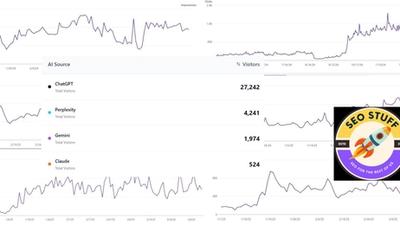
It also includes a dashboard showing how your business appears across 20 buyer-focused questions in ChatGPT, Claude, Gemini and Perplexity, so you can see whether the work is moving the needle.
Ready to give AI systems better reasons to recommend you? Increase your AI search visibility with SEO Stuff.
How Business Hub compares to other ways of measuring AI visibility
Website analytics. Shows what visitors do once they arrive and can attribute some ChatGPT referrals, but sees nothing of the conversations where you were mentioned and nobody clicked.
Third-party AI visibility tools. Run sample prompts across several AI engines and report where you appear. Broader than Business Hub, since they cover Claude, Gemini and Perplexity too, but they estimate from samples rather than reporting ChatGPT's own numbers.
Business Hub Insights. The only one of these reporting ChatGPT's own first-party mention and click counts. Narrow, limited to ChatGPT and subject to thresholds, but authoritative for what it covers.
The verdict is to use Business Hub as your ChatGPT baseline and keep a cross-engine view alongside it. It tells you how you're doing in one engine; it says nothing about the others.
Final Thoughts
OpenAI's Business Hub is a meaningful development. For the first time, eligible companies have a self-service way to claim their profile, supply current information and see aggregated reporting on how people engage with them in ChatGPT.
You should take advantage of it. Claim your business, complete both verification steps, update your information, connect your products if you have them, and start watching your mentions, clicks and discovery topics.
Just remember the distinction: Business Hub helps you measure your presence in ChatGPT. It doesn't automatically improve that presence. Getting recommended more often still means giving AI systems useful reasons and reliable sources to include you.
For the practical side of that work, our step-by-step checklist for ranking in ChatGPT, Claude and Perplexity is a good next read.
Want us to handle the content, research and authority-building for you? Get the Done-For-You package.
Want this done for you?
SEO Stuff gets businesses cited by ChatGPT, Gemini, Perplexity and Claude, and ranking in Google. Start with the free audit, a call, or the package.
See where you stand
A free, manual SEO + AI search audit of your site, with a report within 48 hours. No credit card, no sales call.
Get my free auditTalk it through
A free 15-minute call with the founder about whether AI search is a meaningful opportunity for your business.
Free strategy callHave it done
The Done-For-You Package: audit, 10 pages of content, 3 DR50+ placements, dashboard. $999 once, delivered in 21 business days.
See the package