What Is a Facebook Ad Account ID and Where Do You Find It? (2026 Guide)
 Carlos Garcia5/24/2026
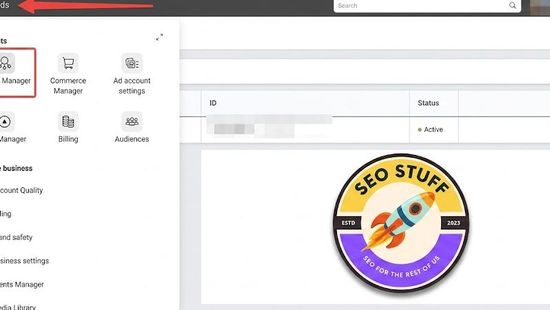
A Facebook ad account ID is the unique number Meta gives each ad account, the account that holds your campaigns, ads and billing. The fastest way to find it is to open Meta Ads Manager and look at the account dropdown at the top of the page, which shows the account name and ID number. You can also read it from your browser's address bar: it's the number after act= in the URL.
Meta's help center also labels it simply as the Account ID. Developers see the same number written with an act_ prefix. Agencies, reporting tools and Meta support ask for it because it tells them exactly which account you mean.
How to Find Your Facebook Ad Account ID
There are several places to look. The first two come straight from Meta's own help article on finding your ad account ID and work for almost everyone.
In the Ads Manager Account Dropdown
- Go to Meta Ads Manager (facebook.com/adsmanager/manage).
- Look at the business asset dropdown at the top of the page. It shows the name and ID number of the ad account you're in.
- Click the dropdown to see the ID numbers of any other ad accounts you can access.
If you manage more than one account, this is also the quickest way to confirm you're in the right one before you change anything.
In the Ads Manager URL (the act= Number)
With Ads Manager open, look at your browser's address bar and find act= in the URL. The digits right after it, up to the next & sign, are your ad account ID.
For example, if the URL contains act=123456789012345&, the ID is 123456789012345. That number is made up. Yours will be different.
The ad account settings page in Ads Manager (facebook.com/ads/manager/account/settings) also lists the account number, along with your billing details and spending limit.
In Meta Business Suite Settings (Accounts > Ad Accounts)
If your ad account belongs to a business portfolio (what Meta used to call Business Manager), you can see it alongside every other ad account the portfolio owns or has access to.
- Go to Settings in Meta Business Suite (business.facebook.com/latest/settings).
- In the left menu, open Accounts, then click Ad accounts.
- Select the ad account. Its ID is shown with the account details.
Use this view when you need to check which business owns an account, or when you're about to share it with a partner.
On Your Phone (Meta Ads Manager App)
Open the Meta Ads Manager app. The ad account number is listed at the top of the app, and Meta's instructions say to tap it if you need to switch to a different account. That number is your ad account ID.
Through the Marketing API (the act_ Prefix)
In the Marketing API, an ad account is addressed as act_ followed by the ID, for example act_123456789012345. Meta's reference docs show two fields on the ad account object: id, which includes the act_ prefix, and account_id, which is the plain number.
To list the ad accounts tied to the logged-in user, call the adaccounts edge in the Graph API Explorer, for example GET /me/adaccounts?fields=name,account_id. For accounts owned by a business portfolio, GET /{business_id}/owned_ad_accounts returns the list.
Paid traffic stops when the budget does, so if you want to see how much of that traffic your site could earn from search instead, get a free SEO and AI search audit.
Facebook Ad Account ID vs Other Meta IDs
Most mix-ups happen here. Meta gives almost everything its own ID. They're all long strings of digits, and forms rarely say which one they want.
Ad Account ID vs Business Portfolio ID (Business Manager ID)
Your business portfolio ID identifies the whole business, which can own several ad accounts, Pages and datasets. The ad account ID identifies one ad account inside it. Meta says you may need the business ID to give a partner access to business assets such as monthly invoices or a Meta Pixel.
To find it, go to Settings in Meta Business Suite, select Business portfolio info from the left menu, and look below the portfolio name.
A simple rule: someone who needs to work in one specific ad account needs the ad account ID. If you're adding another business as a partner, you need their business portfolio ID.
Ad Account ID vs Page ID
A Page ID identifies your Facebook Page, the public identity your ads run as. The ad account is where the campaigns and billing live. To advertise for a Page, you need ads access to that Page as well as a role on the ad account.
To find a Page ID, open the Page, click the Page name, then click Transparency and privacy policy. The ID is listed under Page information.
Ad Account ID vs Pixel or Dataset ID
Pixel and dataset IDs identify your event data in Events Manager, not your ad account. Meta now groups website, app, offline and messaging events into datasets, and says you can use a dataset ID the way you'd use a pixel ID, for example when setting up the Meta Pixel or the Conversions API.
So when a pixel or Conversions API setup asks for an ID, it wants the dataset or pixel ID. Your ad account ID won't work there.
Ad Account ID vs Payment Account ID
The money side has its own accounts. Payment methods for ads live under Billing & payments in Meta Business Suite, and publishers get paid through payout accounts in Meta Monetization Manager. Neither one is your ad account ID. If a form asks which account your campaigns run in, give it the act= number.
Ad Account ID vs Ad ID, Campaign ID and User ID
Campaigns, ad sets and ads each get their own ID too, and they all sit inside one ad account. If a tool asks for an ad ID, it wants one specific ad, not the account.
Your personal Facebook profile has its own ID as well, and one person can hold roles on several ad accounts. A profile ID won't work in an ad account field.
What "Advertiser Account ID" Means
The wording depends on the platform. On Meta, the number you're after is the ad account ID covered above. Amazon Ads uses "advertiser account ID" as its official term. Google Ads calls its version a customer ID, which you'll see under your account name after clicking your profile picture.
Your pixel shows what people do after they click an ad, while a free SEO audit shows whether people can find you in Google and AI search without one.
When You'll Need Your Ad Account ID
Most people go looking for it for one of these reasons.
- Giving an agency or freelancer access. Partners can request access to your account using its ID. The steps are below.
- Adding an existing ad account to a business portfolio. Meta's Add an ad account flow asks you to enter the ad account ID.
- Connecting reporting or automation tools. Anything built on the Marketing API refers to the account as act_ plus the ID. Many tools let you log in with Facebook and pick the account from a list, but some ask you to paste the ID.
- Contacting Meta support. If an account is disabled, restricted or has a billing problem, the ID tells support exactly which account you mean.
- Adding funds. Before you top up a prepaid balance or buy Facebook ad credit, check the ID in the dropdown so the money lands in the right account.
- Keeping several accounts straight. Account names can be changed. The ID is unique to each account, which makes it the safer label in reports and spreadsheets.
How to Share Your Ad Account ID With an Agency Safely
Your ad account ID on its own doesn't give anyone access. A partner can use it to request access, but the request has to be approved by the account owner or by someone with full control of the business portfolio the account sits in.
Option 1: The Agency Requests Access With Your ID
- You send the agency your ad account ID.
- In their own Meta Business Suite, they go to Settings, open Accounts, click Ad accounts, then click + Add and choose Request access to an ad account in another business portfolio.
- They enter your ID and choose partial access or full control. With partial access, they pick the specific tasks they need.
- You review the request and approve it.
Option 2: You Assign the Agency as a Partner
If the ad account is already in your business portfolio, you can skip the request. In Settings, open the Ad accounts tab, click Assign partner and enter the agency's business portfolio ID. In this flow you need their business ID, not your ad account ID.
Give the Least Access That Does the Job
For ad accounts managed in Ads Manager, Meta has three roles:
- Admin: full control, including payment methods and who else has access.
- Advertiser: can create, edit and manage ads and see reports, but can't change the payment method or manage access.
- Analyst: view-only access to ads and reports.
Meta's own examples suggest Advertiser for an agency running your campaigns and Analyst for someone who only needs to pull reports. In a business portfolio, the same choice shows up as partial access with selected tasks versus full control. Meta also notes that granting permissions doesn't let someone log in as you or see things on your profile you haven't shared.
A few habits keep this clean:
- Share the ID only. Never send your Facebook password or login codes.
- Before approving a request, check that the business name matches the partner you actually hired.
- Pick partial access or the Advertiser role unless they genuinely need billing or user management.
- Remove access when the engagement ends.
- If the ad account is in a business portfolio, manage permissions from Settings in Meta Business Suite. Meta says you can't edit them from Ads Manager once the account is in a portfolio.
If you're still choosing who to hire, it helps to know what it takes to earn a Meta Business Partner badge.
Before you hand your marketing to an agency, a free SEO and AI visibility audit gives you a baseline for how your site already performs in search.
Common Ad Account ID Mistakes
- Adding or dropping act_ in the wrong place. The number in the Ads Manager dropdown and URL is the plain ID. The API puts act_ in front of it. If an integration says it can't find the account, check this first.
- Sending the business portfolio ID instead. Both are long numbers from the same settings area. One identifies the business, the other identifies a single ad account.
- Mixing up the pixel or dataset ID and the ad account ID. Tracking setups want the dataset ID. Access requests and ad tools want the ad account ID.
- Working in the wrong account. If you have several, confirm the name and ID in the dropdown before you share anything, and before you build campaigns or upload a video to Ads Manager.
- Hunting for a competitor's ad account ID. You don't need it. Anyone can search the Meta Ad Library by term, name or Page to see active ads. Our Meta Ad Library guide walks through it.
If your ads send people to a site that barely shows up in search on its own, request a free SEO audit to see where the gaps are.
Frequently Asked Questions
What is an ad account ID on Facebook?
It's the unique number Meta gives each ad account, the account that holds your campaigns, ads and billing. You'll see it in the Ads Manager account dropdown and after act= in the Ads Manager URL.
Is my ad account ID the same as my Business Manager ID?
No. The business portfolio ID (formerly the Business Manager ID) identifies the whole business. The ad account ID identifies one ad account, and a portfolio can hold several.
Is it safe to share my Facebook ad account ID?
Yes, with people you're working with. The ID alone doesn't grant access. Anyone who requests access with it still needs approval, and you decide what they're allowed to do.
Do I need to include act_ when I enter my ad account ID?
Only when the tool or API asks for it. Ads Manager shows the plain number, and act_ plus that number is how the Marketing API refers to the same account.
What's the difference between an ad ID and an ad account ID?
An ad ID points to one specific ad. The ad account ID points to the account that contains all your campaigns, ad sets and ads.
Can a business portfolio have more than one ad account?
Yes. Meta says a new business portfolio can create one ad account at first, rising to three once a campaign delivers and a payment is made. After that, the limit grows with your ad spend.
Final Thoughts
Your ad account ID is the number after act= in the Ads Manager URL, and it's also shown in the account dropdown. Most problems come from mixing it up with the business portfolio ID, Page ID or dataset ID, so check the label on whatever form you're filling in. Share the ID with people you trust, and keep their access limited to what the work needs.
Want this done for you?
SEO Stuff gets businesses cited by ChatGPT, Gemini, Perplexity and Claude, and ranking in Google. Start with the free audit, a call, or the package.
See where you stand
A free, manual SEO + AI search audit of your site, with a report within 48 hours. No credit card, no sales call.
Get the free auditTalk it through
A free 20-minute call with the founder about whether AI search is a meaningful opportunity for your business.
Book a callHave it done
The Done-For-You Package: audit, 10 pages of content, 3 DR50+ placements, dashboard. $999 once, delivered in 21 business days.
See the package

