What Is a Search Query in Google Analytics? Where the SEO Queries Report Went (2026 Guide)
 Carlos Garcia5/28/2026
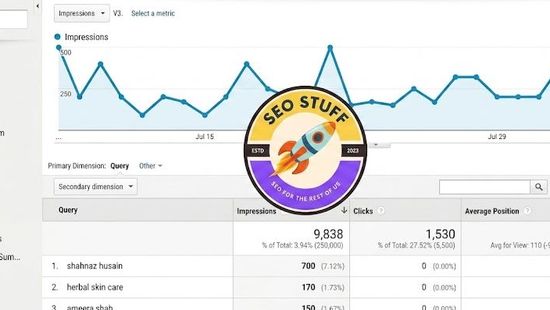
A search query in Google Analytics is the exact phrase someone typed into Google before clicking through to your site. GA4 does not collect that phrase by itself. You only see it after you link Google Search Console, in a report under Reports > Search Console > Queries. That report is the GA4 replacement for the old Universal Analytics "Search Engine Optimization > Queries" report, which is what a lot of people are still looking for.
The confusing part is that "query" means three different things in Google Analytics, depending on which report you are in. Here is how to tell them apart and where each one lives in 2026.
The Three Things "Query" Means in Google Analytics
When someone talks about queries in a Google Analytics context, they usually mean one of these:
- Google search queries: the words someone searched on Google before landing on your site. This data comes from Search Console.
- Site search terms: the words someone typed into the search box on your own website. GA4 collects these itself through the view_search_results event.
- URL query strings: the part of a URL after the question mark, like ?utm_source=newsletter or ?s=shoes. GA4 records these as part of page and landing page URLs.
They come from different sources and live in different reports. Mixing them up is the main reason people think GA4 lost their keyword data.
1. Google Search Queries (Search Console Data)
This is what most people mean. A search query is the literal text typed into Google, such as "how to link search console to ga4" or "seo agency near me". It is not the keyword you targeted, and it is not the page title.
GA4 never sees this text when a visitor arrives, because Google stopped passing it to websites years ago (more on that below). The only way to get it into GA4 is to link Search Console, which reports each query with impressions, clicks, click-through rate and average position.
2. Site Search Terms (view_search_results and search_term)
If your site has a search box, GA4 can record what people type into it. With enhanced measurement turned on, GA4 fires a view_search_results event when a page loads with a search parameter in the URL, and stores the searched words in the search_term parameter. You can report on it with the predefined Search term dimension.
This is your own first-party data. No Search Console link is needed. It tells you what visitors wanted after they arrived, not what they searched on Google.
3. URL Query Strings
A query string is the text after the ? in a URL. UTM tags, product filters, internal search parameters and session IDs all live there. GA4 keeps query strings in dimensions like Landing page + query string. If that's the "query" you were trying to figure out, our guide on what a query string is in Google Analytics 4 covers it properly.
Developers sometimes mean a fourth thing: a query written against the GA4 BigQuery export or the Google Analytics Data API to pull data out. That is a separate topic and not what this guide covers.
If you'd rather not dig through three different reports yourself, get a free SEO audit and see where your search visibility actually stands.
What Happened to the "Search Engine Optimization > Queries" Report?
In Universal Analytics, Google query data lived under Acquisition > Search Engine Optimization > Queries. The report pulled its numbers from Webmaster Tools (later renamed Search Console) and only worked if you had linked the two.
In 2016, Google replaced that section with Acquisition > Search Console. It held four reports: Landing Pages, Countries, Devices and Queries. The Queries report showed impressions, clicks, average position and CTR for each query, all coming from Search Console.
Then Universal Analytics was shut down. Standard UA properties stopped processing data on July 1, 2023. UA 360 properties stopped on July 1, 2024, and Google began removing access to UA data in the interface and API from that week. The old report is gone, along with its history.
The GA4 equivalent is Reports > Search Console > Queries. Google's help docs also call it the Google organic search queries report. It sits next to a second report, Google organic search traffic, which lists landing pages instead of queries. Neither one appears until you link Search Console and publish the report collection, and that second step is where most people get stuck.
For a wider SEO view in GA4 than query data alone, see our guide to building a Google Analytics SEO report.
How to Get the Search Queries Report in GA4
You need two things before you start: the Editor role (or higher) on the GA4 property, and verified owner status on the Search Console property. If you aren't verified yet, Google lets you do it during the linking flow.
Step 1: Link Search Console to GA4
- In GA4, go to Admin > Product links > Search Console links.
- Click Link.
- Select "Link to Search Console properties I manage", then click Choose accounts.
- Pick the Search Console property for your site, click Confirm, then click Next.
- Choose the web data stream for that site, click Next, then review and submit.
A web data stream can link to only one Search Console property, and a Search Console property can link to only one web data stream. Links can't be edited afterward. If you picked the wrong property, delete the link and create a new one.
Step 2: Publish the Search Console Collection From the Library
Most setup guides skip this. The Search Console collection is unpublished by default, so linking alone won't make the reports show up in your left menu.
- Click Reports in the left menu.
- Click Library at the bottom of the left navigation. Only Editors and Administrators can see it.
- Find the Search Console collection card.
- Click More (the three dots), then click Publish.
Step 3: Open the Queries Report
Go to Reports > Search Console > Queries. If you just created the link, give it a couple of days. Search Console data reaches GA4 48 hours after it is collected, so a new link can look empty at first.
What the GA4 Queries Report Shows (and What It Doesn't)
The Queries report is narrower than most people expect. Here is everything in it:
- Dimensions: Organic Google search query, Country, Device category
- Metrics: Organic Google search clicks, Organic Google search impressions, Organic Google search click through rate, Organic Google search average position
That's the whole report. There are no sessions, engagement rate or key events by query, because GA4 never received the query in the first place.
The Google organic search traffic report is the better one for connecting search to results. It lists landing pages (using the Landing page + query string dimension) with both sets of numbers:
- Search Console metrics: organic Google search clicks, impressions, click-through rate and average position
- Analytics metrics: active users, engaged sessions, engagement rate, average engagement time, event count, key events and ad revenue
Other limits worth knowing:
- Search Console keeps a maximum of 16 months of data, so GA4 can't show older query data either.
- Data arrives 48 hours after collection.
- The Search Console reports in GA4 don't support time-series charts.
- Search Console metrics only work with Search Console dimensions plus three GA4 dimensions: Landing page, Device and Country.
- Some queries never appear. Google leaves out what it calls anonymized queries to protect user privacy.
If you want someone to read these numbers and tell you which pages to fix first, request a free SEO audit.
Why Google Analytics Shows "(not provided)" Instead of Search Terms
Analytics tools used to read the search query straight from Google's referral data. That ended on October 18, 2011, when Google announced encrypted search for signed-in users. Its announcement said websites "will still know that you came from Google, but won't receive information about each individual query."
Google pointed site owners to Webmaster Tools (now Search Console) instead, which then offered the top 1,000 search queries that drove traffic for each of the past 30 days. In September 2013, Google confirmed it was moving to make all searches secure, except for ad clicks. "(not provided)" became the normal label for Google organic keywords, and GA4 has no dimension that shows the Google search behind an organic visit. Our post on why Google Analytics shows "not provided" for keywords covers the full history and the workarounds that still exist.
The practical result: you can't see conversions by Google search query in GA4. The closest you can get is to use the landing page as the bridge. Find the pages that drive key events in the Google organic search traffic report, then check which queries send clicks to those pages in Search Console.
Where to See the Full Query List: Search Console
GA4's Queries report is a convenience. Search Console's own Performance report is the source, and it does more:
- You can filter queries by page, so you can see exactly which searches reach one URL.
- It has tabs for queries, pages, countries, devices, search appearance and dates, plus filters for web, image, video and news results.
- Exports from the Search Console interface are limited to 1,000 rows. The API allows 50,000 rows per day per search type for each property, and the bulk data export to BigQuery has no row limit.
One 2026 detail matters here. Appearances in AI Overviews and AI Mode are included in Search Console's overall search traffic, under the "Web" search type. Queries typed into ChatGPT, Perplexity and other AI assistants are a different story. Those tools can send you referral visits, but they don't pass the prompt behind the click, so there is no query to report.
How to Find Site Search Terms in GA4
If the query you care about is what people type into your own search box, you don't need Search Console.
- Go to Admin > Data streams, click your web stream, and open the Enhanced measurement settings.
- Make sure site search is turned on. By default, GA4 looks for these URL parameters: q, s, search, query and keyword.
- If your site uses a different parameter, add it in the site search advanced settings.
- To read the terms, go to Explore, start a Free form exploration, add the Search term dimension and the Event count metric, and filter to the event name view_search_results.
WordPress, for example, uses the s parameter, so a URL like example.com/?s=keyword+research is covered by the default settings.
Site search data is some of the most honest intent data you have. It shows what visitors wanted and couldn't find through your menus. A cluster of searches for one topic usually points to a missing or buried page.
Search Query vs Keyword
These two get used interchangeably, but they aren't the same thing:
- Search query: the exact text one person typed, like "where is the search queries report in ga4".
- Keyword: the topic you choose to target, like "ga4 search console report". One keyword covers many query variations.
Search Console reports queries. Keyword tools report keywords with estimated search volume. You need both. Keywords tell you what to build, and queries show how people actually phrase it and which variations already bring up your page. If you want to pull keyword ideas from the data you already have, see how to find keywords in Google Analytics.
To see where competitors outrank you on the queries that matter most, run a free SEO and AI search audit.
How to Use Search Query Data
Once the data is flowing, a few checks cover most of the value.
Sort by Impressions, Then Look at Positions 8 to 20
High-impression queries where you sit at the bottom of page 1 or on page 2 are usually the fastest wins. The page is already relevant to the search. It just isn't the best answer yet.
Fix High-Impression, Low-CTR Queries
Plenty of impressions and very few clicks at a reasonable position usually means the title and meta description don't match what the searcher wants. Rewrite them around the query wording and track CTR for a few weeks.
Turn Unexpected Queries Into Sections or Pages
Search Console regularly shows queries you never targeted. If a page gets steady impressions for a question it doesn't answer, add a section for it. If the question is different enough, give it its own page.
Split Branded and Non-Branded Queries
Filter out queries that contain your brand name. Branded searches mostly come from people who already know you. Non-branded queries show whether SEO is bringing in new people.
Check Intent With Engagement
In the Google organic search traffic report, look for landing pages with plenty of organic clicks but weak engagement or few key events. The page probably ranks for searches it doesn't satisfy. Compare its top queries in Search Console with what the page actually says.
Watch for Queries That Drop Off
When a query that drove steady clicks suddenly fades, check average position first. If position fell, you lost ground to another page. If position held but clicks dropped, the results page probably changed, for example with an AI Overview or a new feature pushing organic results down.
If you want to know which of your pages are closest to page 1 right now, get a free SEO audit.
Frequently Asked Questions
What is a query in Google Analytics?
Usually it means a Google search query: the words someone searched on Google before visiting your site. GA4 shows these only after you link Search Console. Depending on the report, "query" can also mean site search terms or URL query strings.
Where is the search queries report in Google Analytics 4?
Go to Reports > Search Console > Queries. If it isn't there, link Search Console under Admin > Product links > Search Console links, then publish the Search Console collection from the Library at the bottom of the left navigation.
What replaced the Search Engine Optimization > Queries report?
In Universal Analytics it became Acquisition > Search Console > Queries in 2016. In GA4, the equivalent is the Queries report in the Search Console collection, which shows clicks, impressions, CTR and average position for each query.
Why does Google Analytics show "(not provided)" for search terms?
Google stopped passing organic search queries to websites when it encrypted search, starting with signed-in users in October 2011. The query data is now available only in aggregate through Search Console.
Can I see which search queries led to conversions in GA4?
No. Search Console metrics can't be combined with GA4 key events at the query level. The workaround is to check key events by landing page in the Google organic search traffic report, then look up that page's queries in Search Console.
What is the difference between a search query and a search term in GA4?
A search query is what someone typed into Google, and it comes from Search Console. A search term is what someone typed into your own site's search box, and GA4 collects it through the view_search_results event.
Final Thoughts
When people ask about search queries in Google Analytics, they almost always want the Google searches behind their organic traffic. In GA4, that means linking Search Console, publishing the collection from the Library, and opening Reports > Search Console > Queries.
Use Search Console directly when you need more rows or queries for a specific page. Use site search terms when you want to know what visitors went looking for after they arrived.
Want this done for you?
SEO Stuff gets businesses cited by ChatGPT, Gemini, Perplexity and Claude, and ranking in Google. Start with the free audit, a call, or the package.
See where you stand
A free, manual SEO + AI search audit of your site, with a report within 48 hours. No credit card, no sales call.
Get the free auditTalk it through
A free 20-minute call with the founder about whether AI search is a meaningful opportunity for your business.
Book a callHave it done
The Done-For-You Package: audit, 10 pages of content, 3 DR50+ placements, dashboard. $999 once, delivered in 21 business days.
See the package

