
How to Purchase Facebook Ad Credit (2026 Guide)
 Carlos Garcia5/20/2026
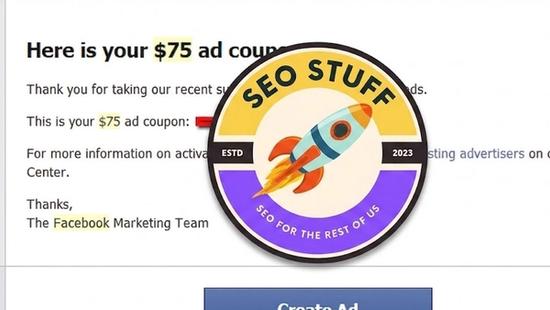
If you've heard about Facebook ad credits and aren't sure whether you can just buy one, or what the difference is between a credit, a coupon, and a prepaid balance, you're not alone. Facebook ad credits in 2026 are promotional balances applied to your Meta Ads Manager account — almost always issued as coupons from Meta or its partners, not purchased directly. You can also prepay your ad balance, which functions like a credit in that it funds future spending. This guide explains exactly what ad credits are, how to redeem coupons, how prepaid funding works, and the workflow for getting and using ad credit on Facebook in 2026.
Free SEO + AI Search Audit. Facebook ad credits help you stretch a paid budget. A free SEO + AI search audit shows you what you're getting for free — across Google AND in AI search engines like ChatGPT, Claude, Perplexity, and Gemini. Run your free audit → to see where your site stands in 60 seconds.
What Is Facebook Ad Credit?
In simple terms, Facebook ad credit is a balance applied to your Meta Ads Manager account that offsets the cost of running ads on Facebook, Instagram, Messenger, Audience Network, and Threads. It comes in two main forms.
Coupons (Promotional Credits)
Coupons are free credits issued by Meta or by Meta's partners (Shopify, Mailchimp, certain web hosts, hardware vendors, etc.) as part of welcome offers, referral programs, or business incentive campaigns. They have specific terms — expiration dates, minimum spend requirements, qualifying account criteria.
Prepaid Balances
A prepaid balance is money you pay Meta upfront that sits as a credit on your ad account. Future ad spend draws against this balance instead of charging your card directly. Useful for budget control, agency client accounts, or regions where Meta requires prepayment.
You generally cannot purchase a discounted "ad credit voucher" from Meta directly — those don't exist as a self-serve product. What you can do: prepay your balance, redeem partner coupons, and apply credits from Meta's own promotional campaigns.
How to Redeem a Facebook Ad Coupon
If you have a coupon code from Meta or a partner, here's how to apply it.
Step 1: Open Meta Ads Manager
Go to business.facebook.com and log into your Meta Business account. Select the ad account that will use the credit.
Step 2: Navigate to Billing
In the left sidebar, click Billing (or go to Settings → Billing). You'll see your current balance, payment methods, and transaction history.
Step 3: Find the Payment Settings or Vouchers Section
Click Payment settings or look for Add ad credit / Redeem voucher depending on your account region.
Step 4: Enter the Coupon Code
In the redemption field, paste the coupon code exactly as provided (codes are case-sensitive and typically 13-25 characters). Click Redeem or Apply.
Step 5: Verify Terms
Meta shows you the coupon's terms: credit value, expiration date, minimum spend, qualifying placement types. Make sure your ad account meets the eligibility criteria.
Step 6: Confirm Application
After redemption, your credit balance updates. The credit applies automatically to your next ad spend until exhausted or expired.
How to Add a Prepaid Balance to Your Facebook Ads Account
If your goal is to fund your ad account upfront rather than redeem a promotional coupon, the workflow is different.
Step 1: Check Whether Prepayment Is Available
Prepaid funding is available in some regions (parts of Asia, Latin America, Africa) and not in others (most of North America and Europe). In regions where Meta primarily uses post-paid billing, you can't formally prepay — but you can fund a balance via certain payment methods like PayPal or local bank transfers.
Step 2: Go to Billing → Payment Settings
In Ads Manager, navigate to Settings → Billing → Payment Settings.
Step 3: Add a Prepaid Funding Source
Click Add funding source or Add payment method. Choose a prepaid-eligible option (varies by region — often PayPal, bank transfer, mobile money, or specific debit cards).
Step 4: Set the Funding Amount
Specify how much you want to load. Meta typically requires a minimum (often $25-$100 USD equivalent).
Step 5: Confirm and Wait
Funds clear in 1-3 business days depending on payment method. Once cleared, the balance shows in your account and is drawn down as ads run.
Step 6: Top Up When Needed
Prepaid accounts pause ad delivery when the balance hits zero. Set up alerts or auto-top-up if your campaigns need continuous delivery.
Where to Find Free Facebook Ad Credits
The good news: free credits are available from several legitimate sources in 2026.
1. Meta's Own Promotional Campaigns
Meta periodically runs promotions offering ad credits to new advertisers (typically $50-$100 credits for spending a minimum amount). Watch your Ads Manager notifications and check the Business Help Center for current offers.
2. Shopify Welcome Offers
Shopify often bundles Facebook ad credits ($50-$100) with new merchant accounts. The credit is delivered via email after you connect your Meta business account to Shopify.
3. Mailchimp and Email Platform Partnerships
Mailchimp, Klaviyo, and other email platforms have offered Meta ad credits as part of their welcome flows. Check your account dashboard or onboarding emails.
4. Cloud Provider Programs
Microsoft for Startups, Google for Startups, and various accelerators bundle Meta credits ($300-$5,000) for qualifying startups. Eligibility usually requires being a pre-Series A company.
5. Domain and Hosting Provider Bonuses
GoDaddy, Bluehost, SiteGround, and similar providers sometimes include Facebook ad credits with annual plans. Check your account dashboard or welcome emails.
6. Facebook Blueprint Course Bonuses
Completing certain Meta Blueprint certification programs has historically come with credit bonuses. Check the current Blueprint reward catalog.
When to Use Prepaid Balances vs Coupons vs Direct Billing
Picking the right funding model.
Use Prepaid If
You need strict budget control, you manage client accounts as an agency, your region requires prepayment, or you're worried about runaway spend on automated campaigns.
Use Coupons If
You're new to Meta ads and want to test without committing budget, you have a legitimate offer from a partner, or you're optimizing total cost (free credit reduces effective CPM).
Use Direct Billing If
You're a mature advertiser with a stable card on file, you want auto-replenishment, or you need the most flexible billing for tax/accounting purposes.
Free SEO + AI Search Audit. Meta ad credits stretch your paid budget. Knowing where your free SEO traffic comes from stretches it further. Get a free audit of how your site performs across Google AND every major AI search platform.
Common Issues With Facebook Ad Credits
Things that go wrong and how to fix them.
1. Coupon Code Won't Apply
Most often: the code is restricted to new ad accounts, your account doesn't meet the eligibility criteria (region, account age, no prior spend), or the code has already been redeemed. Check the offer's fine print or contact Meta support via the Ads Manager help icon.
2. Credit Doesn't Cover Spend
Coupons usually require a minimum spend to activate ($25 spend to unlock $25 free, for instance). If your account hasn't met the minimum, the credit isn't applied yet.
3. Credit Expired Before Use
Most Meta coupons expire within 30-90 days of issue. Once expired, the credit is gone — Meta does not extend expiry on individual requests.
4. Currency Mismatch
If your coupon is in USD but your ad account bills in another currency, Meta converts at the prevailing exchange rate when the credit applies. Small discrepancies are normal.
5. Credit Applied to Wrong Account
If you manage multiple ad accounts via Business Manager, make sure you redeem the coupon while the correct ad account is selected. Credits can't usually be transferred between accounts.
6. Credit Doesn't Show in Reports
Check the Billing → Transactions view to confirm the credit was applied. It may show as a separate line item rather than reducing the ad spend total directly.
Common Scams to Avoid
A few things masquerading as legit credit offers.
"Discounted Facebook ad credit vouchers" sold by third parties. Meta does not sell or resell ad credit. Any third-party offer to sell you discounted credit is fraud. The codes are either stolen, fake, or tied to abuse-blocked accounts.
Phishing emails claiming "your Facebook ad credit is expiring." Meta does send legit expiration notifications, but they always link to business.facebook.com directly. Hover any link before clicking. Phishing attempts often try to redirect you to fake login pages.
Agencies offering "guaranteed credits." Some agencies claim insider access to credits in exchange for managing your account. There's no special channel — Meta's partner program is transparent and credits are tied to specific verifiable programs.
Final Thoughts
You don't really "purchase" Facebook ad credit in the traditional voucher-style sense. You either redeem promotional coupons from Meta and its partners, or you prepay a balance to fund future ad spend. The free credit ecosystem in 2026 is healthy — Shopify, Mailchimp, cloud providers, and Meta's own promotional campaigns all hand out legitimate credits to new and existing advertisers. The right approach depends on your situation: new advertisers should hunt for coupons before spending anything, agencies should standardize on prepaid for client accounts, and mature advertisers usually do best with direct post-paid billing.
Beyond paid social, the bigger 2026 question for most marketing teams is where their visibility lives organically. Increasingly, buyers find products by asking AI search engines like ChatGPT, Claude, Perplexity, and Gemini for recommendations — entirely outside the Facebook/Instagram ad ecosystem. Free ad credits help your paid budget; AI search visibility is the channel deciding more and more buying decisions. Run a free audit to see exactly where your site performs across Google AND every major AI search platform — and which fixes will move your traffic the fastest this quarter.


